

Image Catalog
The Image Catalog lists all container images available through Root Image Catalog atcr.root.io. Access it at app.root.io/images/catalog.
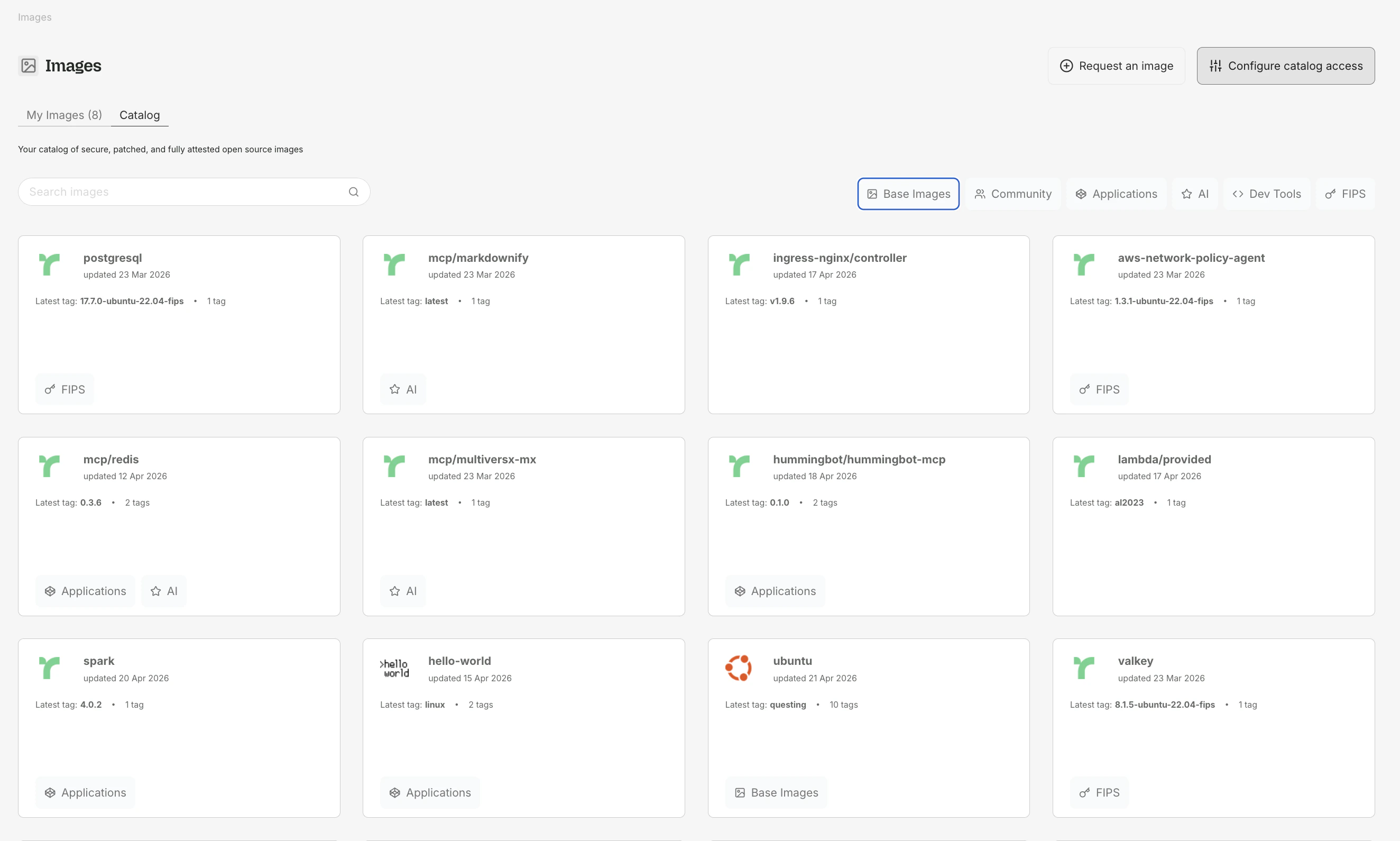
The Image Catalog — browse and filter images by Base Images, Community, Applications, AI, Dev Tools, or FIPS.
What you see
The catalog displays images that have active subscriptions. Each image card shows:- Image name (e.g.,
python,node,postgres) - Available tags with architecture indicators (amd64, arm64)
- Vulnerability reduction chart - a before/after comparison of Critical and High CVEs between the upstream image and Root’s patched version
Images that are not actively subscribed by any customer may not appear in the public catalog. Any image can be added within 48 hours upon request — contact Root at root.io/contact.
Subscribing to an image
1
Find the image
Browse or search the catalog for the image you need.
2
Select a tag
Click the image to view available tags. Choose the tag matching your current usage (e.g.,
3.11-slim-bookworm).3
Subscribe
Click Subscribe on the tag. Root begins scanning for vulnerabilities and generating patched versions.
4
Pull the image
Pull the patched image from Root’s registry:
Vulnerability charts
Each image tag page includes a before/after vulnerability chart showing how Root reduces Critical and High CVEs over time. The chart plots counts across successive scans so you can see the remediation trend.For images based on older distributions (e.g., Debian Bullseye, Amazon Linux), Root may not achieve zero vulnerabilities because backports are not always available. The chart indicates when this is the case.
Architecture support
Root images are available for bothamd64 and arm64. The catalog shows which architectures are available for each tag. Docker automatically selects the correct architecture when pulling.
My Images
My Images shows the images your organization is currently subscribed to.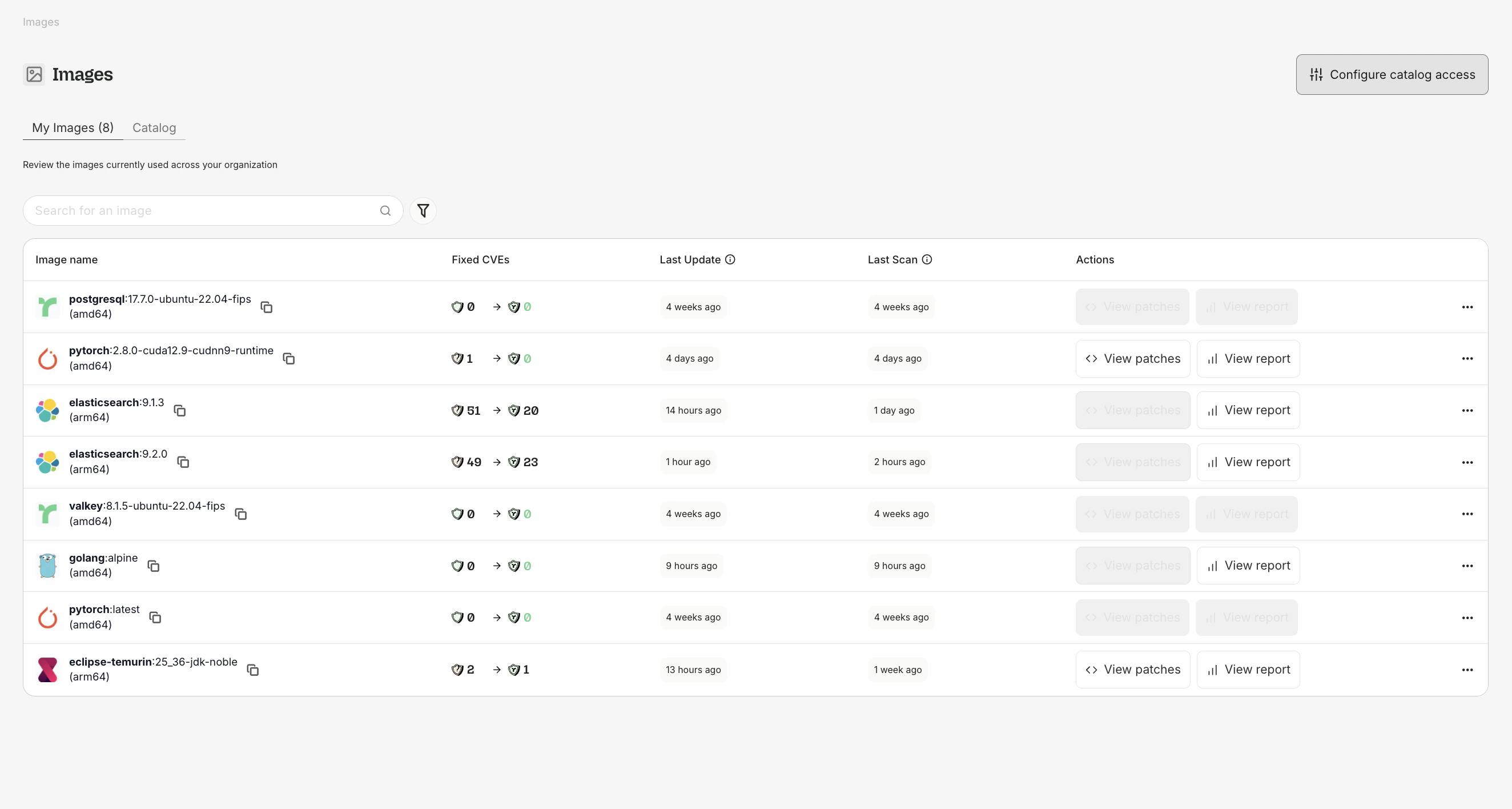
My Images — track subscribed images, before/after CVE counts, and open patches or reports for each.
What you see
Image reports
Click View Report on any subscribed image to open the Image Report:- Vulnerability breakdown by severity (Critical, High, Medium, Low)
- Security Findings table listing each finding with status, severity, and SLA information
- Before/after chart showing remediation progress over time
- Package details for every OS package in the image
FIPS images
Root offers FIPS 140-3 validated images for regulated environments, identified with a FIPS badge in the catalog. See FIPS Images for details.Pulling Root images
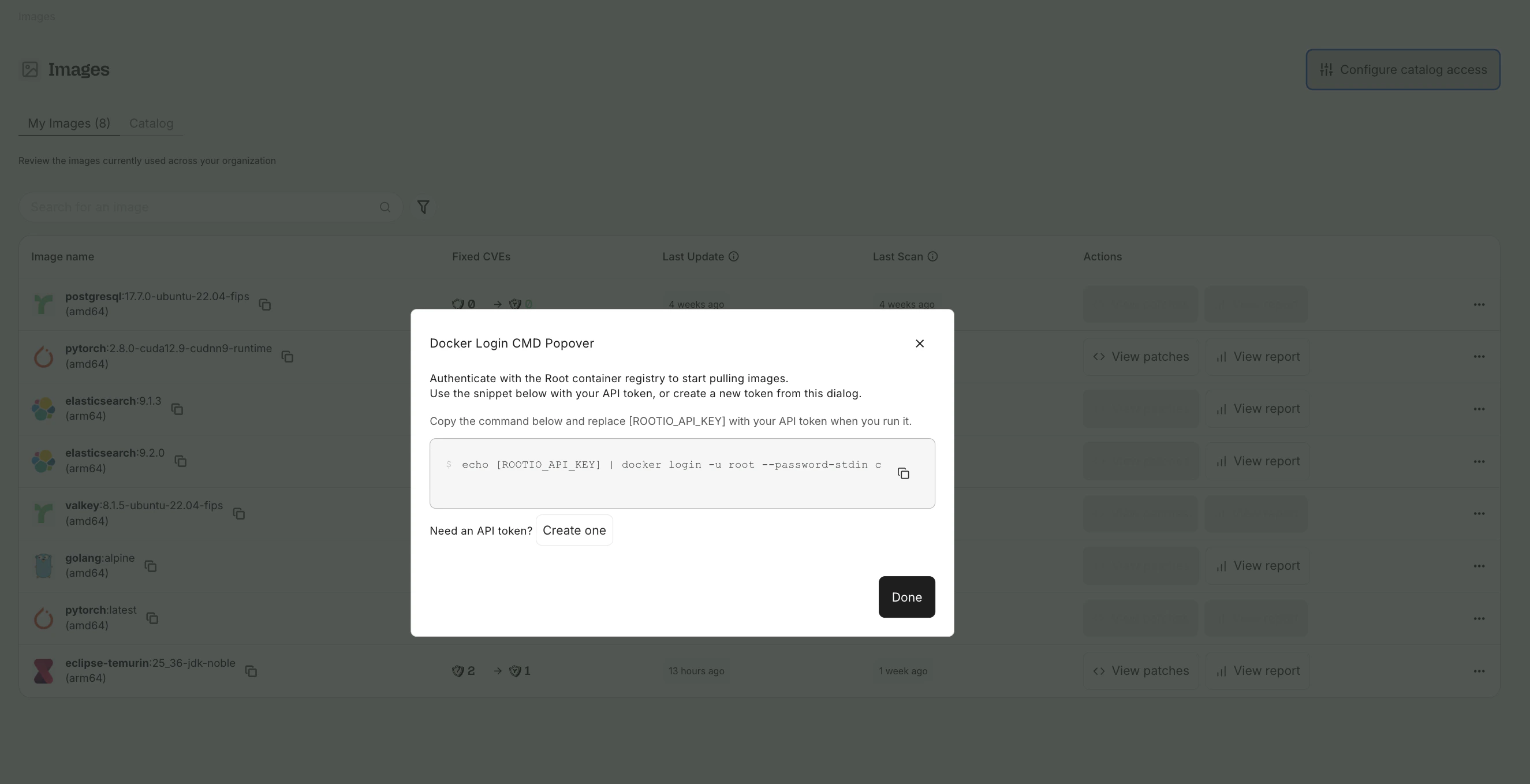
Configure catalog access — authenticate with the Root container registry using your API token.