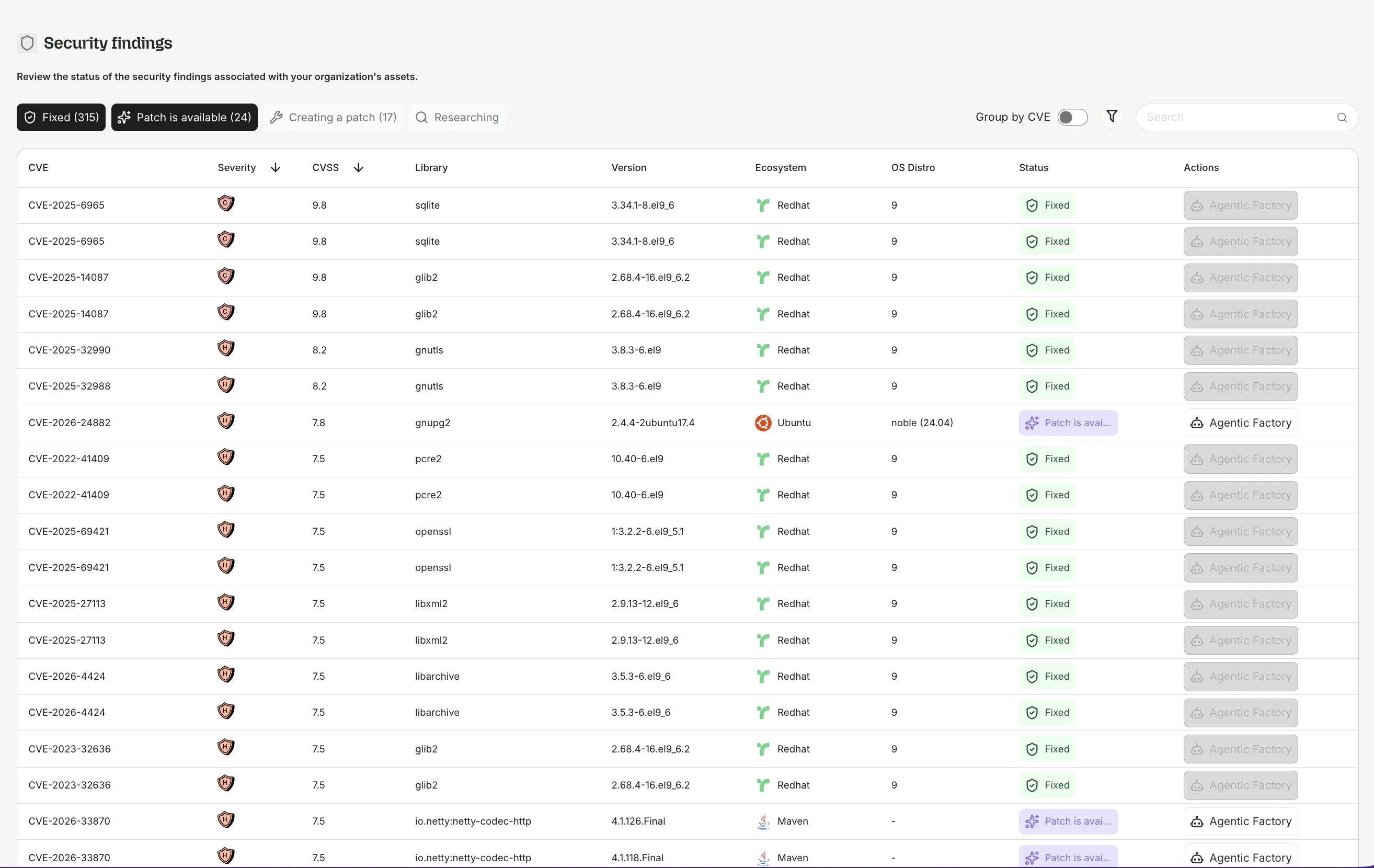
Security Findings is the central vulnerability table in the Root platform. It lists every CVE affecting your subscribed images and discovered packages, with filtering, status tracking, and drill-down to individual CVE details.
This page may still appear as “Vulnerabilities” in some parts of the sidebar while the rename is being rolled out.
Accessing Security Findings
Navigate to Security Findings (or Vulnerabilities) in the app sidebar. The table shows all CVEs across your organization’s subscribed images and discovered packages.
Table columns
| Column | Description |
|---|
| CVE ID | The vulnerability identifier. Click to open the CVE Details page. |
| Severity | Critical, High, Medium, or Low |
| Package | The affected package name and version |
| Ecosystem | Debian, Ubuntu, Alpine, npm, PyPI, Maven, etc. |
| Status | Fixed, Working on a Patch, or No Fix Available |
| SLA | Met, Days Remaining, Days Past SLA, Pending, or Not Applicable |
Filtering
By status tab
The table is organized into tabs:
| Tab | Shows |
|---|
| Fixed | CVEs that Root has remediated. A patched image or package is available. |
| Working on a Patch | CVEs currently being researched and patched by Root’s agents. |
| No Fix Available | CVEs with no applicable fix candidate. Root continues monitoring. |
By severity
Filter by Critical, High, Medium, or Low. By default, only Critical and High are shown.
By ecosystem
Narrow results to a specific ecosystem (e.g., only Debian packages, only npm).
Clicking a CVE
Click any CVE ID in the table to open the CVE Details page with full metadata, affected assets, patch artifacts, and the agentic patching visualization.
Where Security Findings appear
The Security Findings table is the organization-wide view. The same data also appears in scoped contexts:
| Context | What it shows |
|---|
| Image Report | CVEs for a specific subscribed image:tag |
| Library Report | CVEs for a specific discovered package |
| CVE Details | Full deep-dive on a single CVE |
All of these share the same data source. Clicking a CVE from any table takes you to the same CVE Details page.
Agentic Patching access
For CVEs where Root has generated patch artifacts, the Security Findings table includes an Agentic Factory button on the row. Click it to open the Agentic Patching flow for that specific CVE.